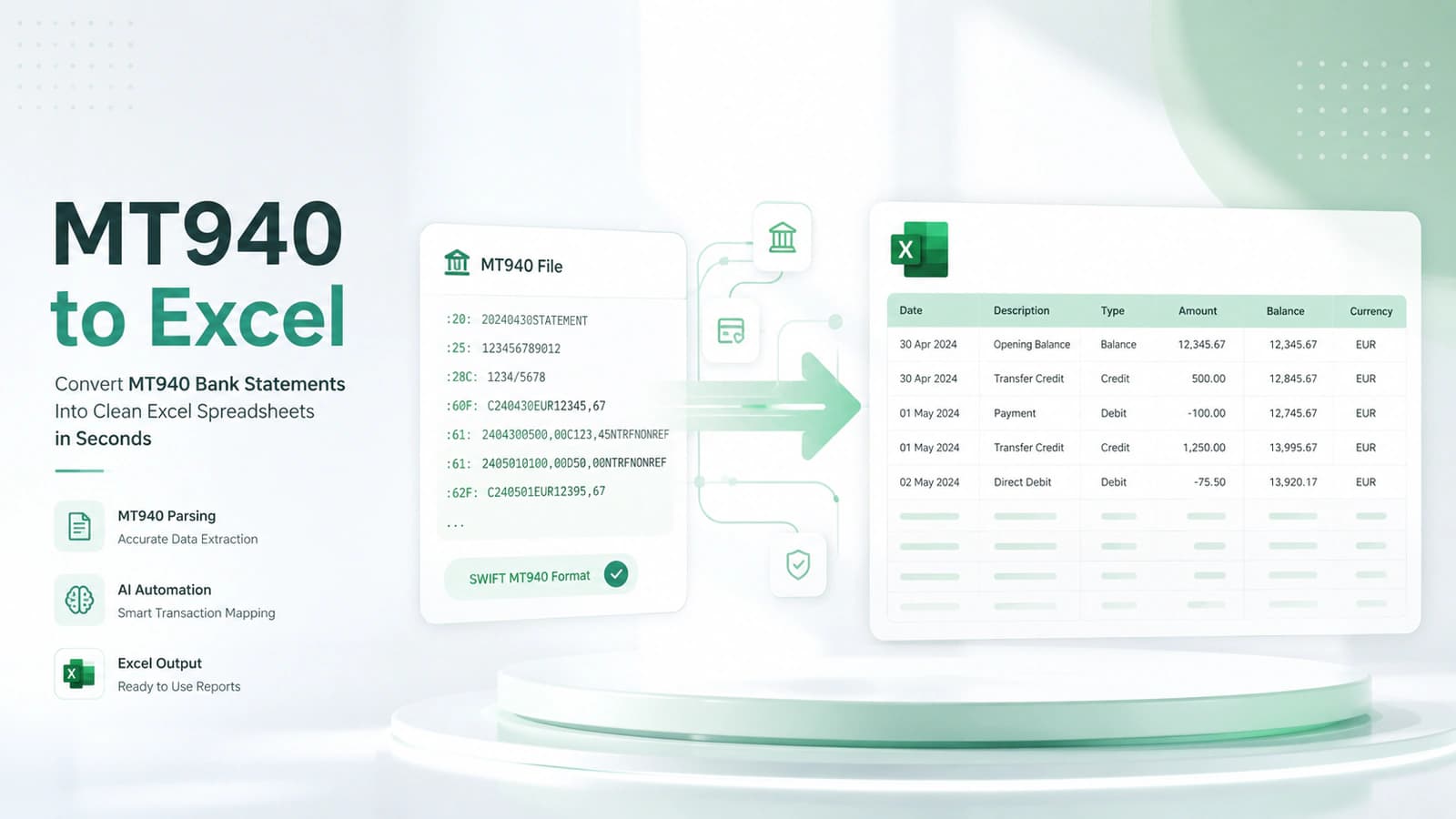
What is MT940? (Beginner to Expert Overview)
- MT940 = SWIFT Message Type 940 used for end-of-day bank statements
- Core entities: SWIFT network, BIC, IBAN, bank account data
- Purpose: standardized financial data exchange and reconciliation
- Structure: opening balance → transactions → closing balance
- Widely used in ERP systems, accounting software, and treasury operations
- Key advantage: consistency across banks and automation-friendly format
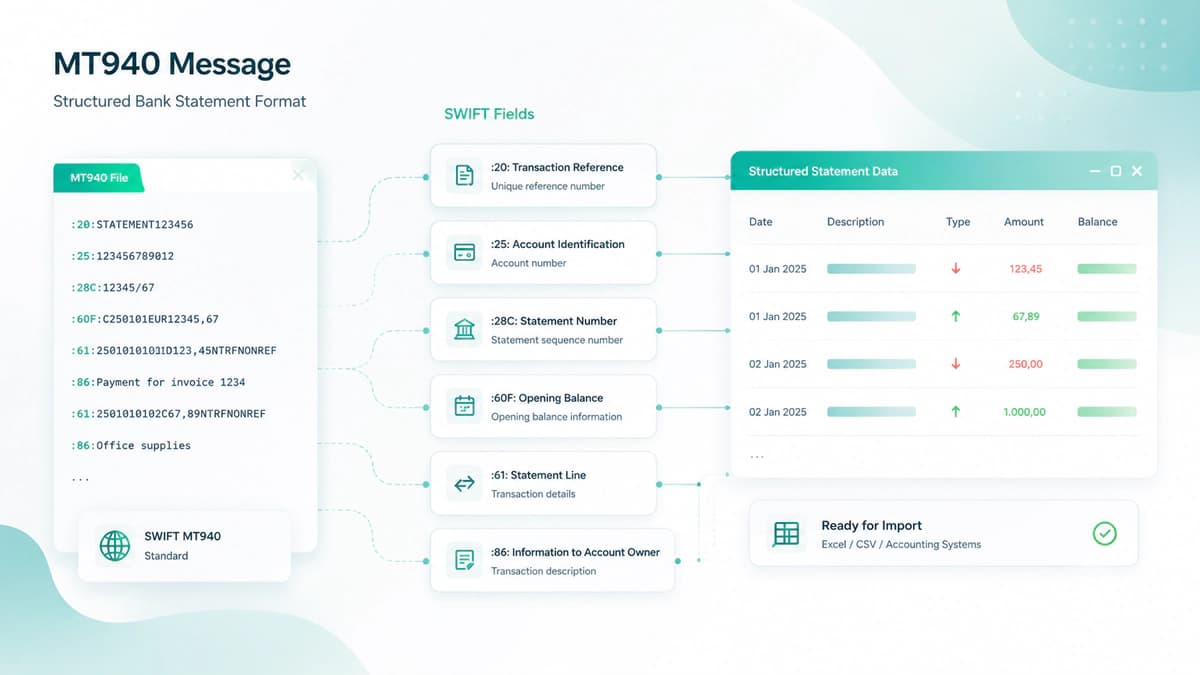
The need for standardized financial data gave birth to MT940 as an accepted financial message format. This standard was developed by the SWIFT (Society for Worldwide Interbank Financial Telecommunication) network. The MT940 file is a text-based report that has been structured in a particular format that tells what happened in a bank account during a specific day, like transactions, balances, and other details.
Role of MT940 in Banking and Financial Systems
In the banking world, millions of transactions are processed each day. To ensure data consistency, a need for a standardized format is inevitable. Reconciliation and reporting becomes chaotic without this.
At the end of each business day, banks generate MT940 files and transmit these through the SWIFT network or other secure channels. These files are then consumed by businesses, ERP systems, and accounting platforms to record or reconcile these transactions with their internal records.
Relationship with SWIFT, BIC, and IBAN
MT940 format can operate with a broader financial ecosystem operated by SWIFT standards. This ecosystem constitutes the SWIFT network (the global messaging infrastructure that securely transmits MT940 files between banks and institutions), BIC (Bank Identifier Code - identifies the bank sending or receiving the MT940 message), and IBAN (International Bank Account Number - identifies the specific account associated with the statement)
These identifiers ensure that MT940 files are routed correctly across institutions, linked to the correct accounts, and interpreted consistently across systems.
MT940 as an End-of-Day Bank Statement
The main characteristics of MT940 are that it constitutes an end-of-day statement. This means it summarizes all account activity after the banking day has closed. An MT940 file typically includes opening balance (start of day), all debit and credit transactions (during the day), closing balance (end of day), and additional transaction details and references, if any.
This particular structure of MT940 makes it different from the MT942 format, which is an intraday update. On the other hand, MT940 is the version used for accounting, auditing, and reconciliation.
Why MT940 is Widely Used in Finance, ERP, and Accounting Systems
The standardization attribute of the MT940 has prompted its widespread adoption. Before this format, each bank used its own format, which made it extremely hard for businesses to internalize records with banking and financial data. This format solved this problem with uniforming the format worldwide.
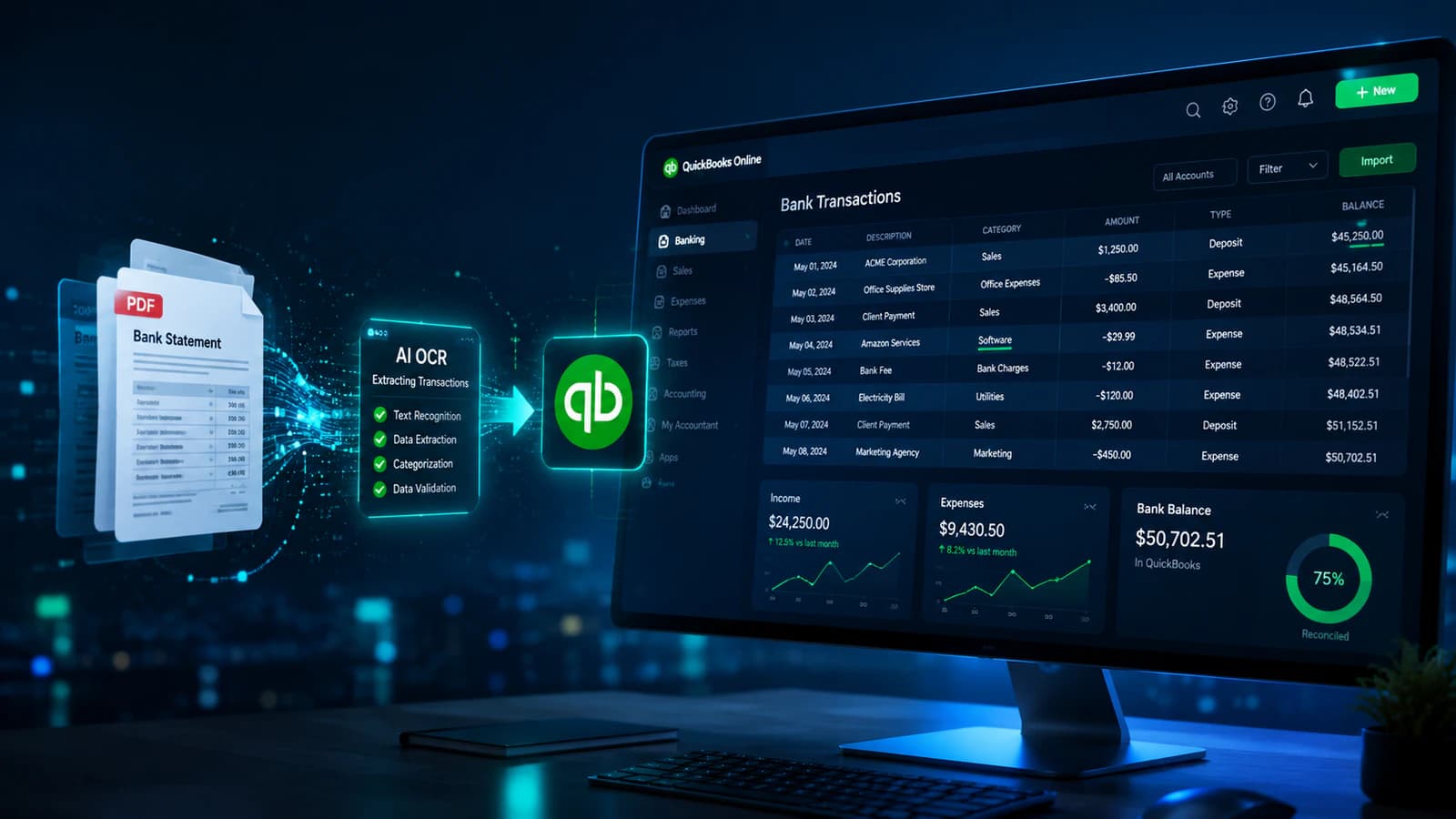
Today, it is widely used in ERP systems, accounting software like Xero / QuickBooks, treasury management platforms, and FinTech solutions that automate recording, reconciliation, and reporting.
Because MT940 is a plain text format, it can be processed programmatically, and makes it ideal for automation, large-scale transaction handling, and integration with APIs.
Even with the rise of newer standards like ISO 20022 and formats such as CAMT, MT940 is still deeply used in global banking workflows.
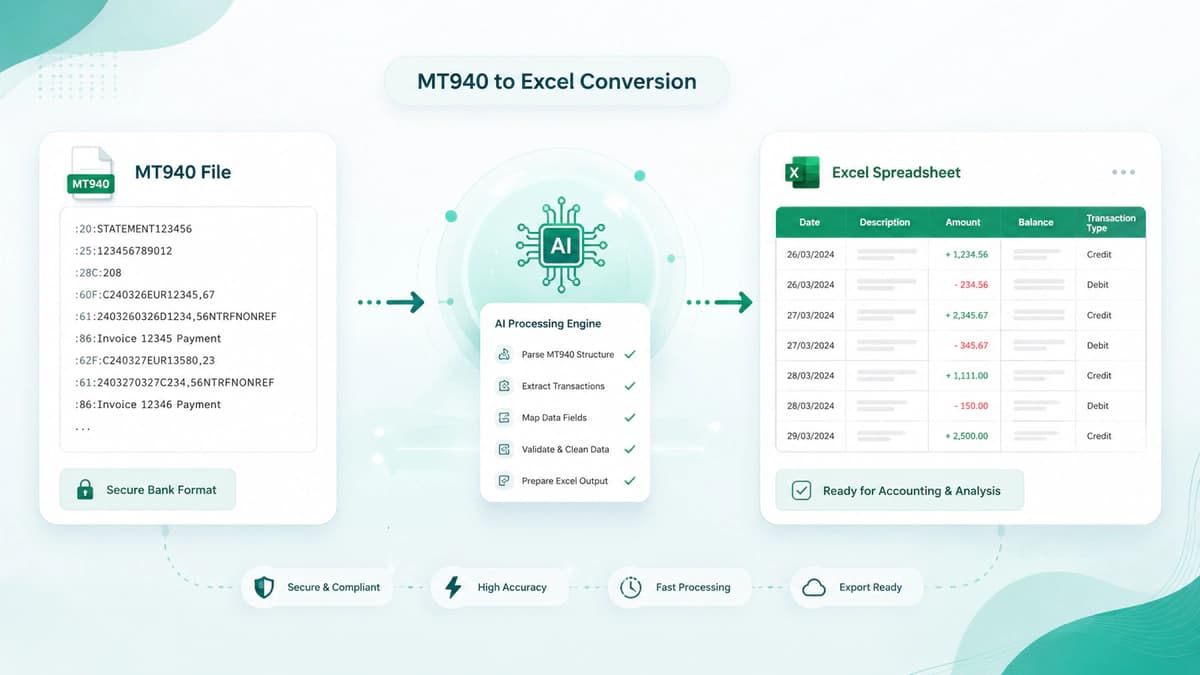
MT940 Format Explained (Structure + Fields Breakdown)
- MT940 format consists of Header → Transaction → End blocks
- Key fields: :20, :25, :28C, :60F, :61, :86, :62F, :64
- Field :61 = transaction data, :86 = detailed description
- Supports ISO 4217 currency codes and debit/credit indicators
- Transaction codes (NTRF, NMSC, FINT, S103) define transaction types
- Structured design enables automation, reconciliation, and MT940-to-Excel conversion
Now let's deep dive into the architecture of the MT940 format and try to understand its fields structure and their particulars puposes in this format. Once its format is understood, it becomes easier for a bank statement converter to convert the MT940 format to Excel.
According to me, the MT940 format is not complex; it's just structured. And once you recognize the patterns, everything starts to make sense.
Overview of MT940 File Structure
An MT940 file is typically divided into three main logical blocks. These blocks define how information flows from the beginning of the statement to the end.
1. Header Block
This is the starting section of the MT940 message. It contains essential identifiers that define the statement. It usually includes transaction reference (:20:), account identification (:25:), statement sequence (:28C:) and opening balance (:60F / 60M:)
2. Transaction Block
This is the most important and largest section of the MT940 file. It contains transaction lines (:61:) and additional transaction details (:86:)
3. End Block
This is the closing section of the file.It includes closing balance (:62F / 62M:) and available balance (:64:)
Message Flow and Sequence
The MT940 follows a strict sequence:
Opening Balance → Transactions → Closing Balance
This sequential flow ensures accurate reconciliation, easy parsing for ERP & accounting systems, and logical data processing for automation.
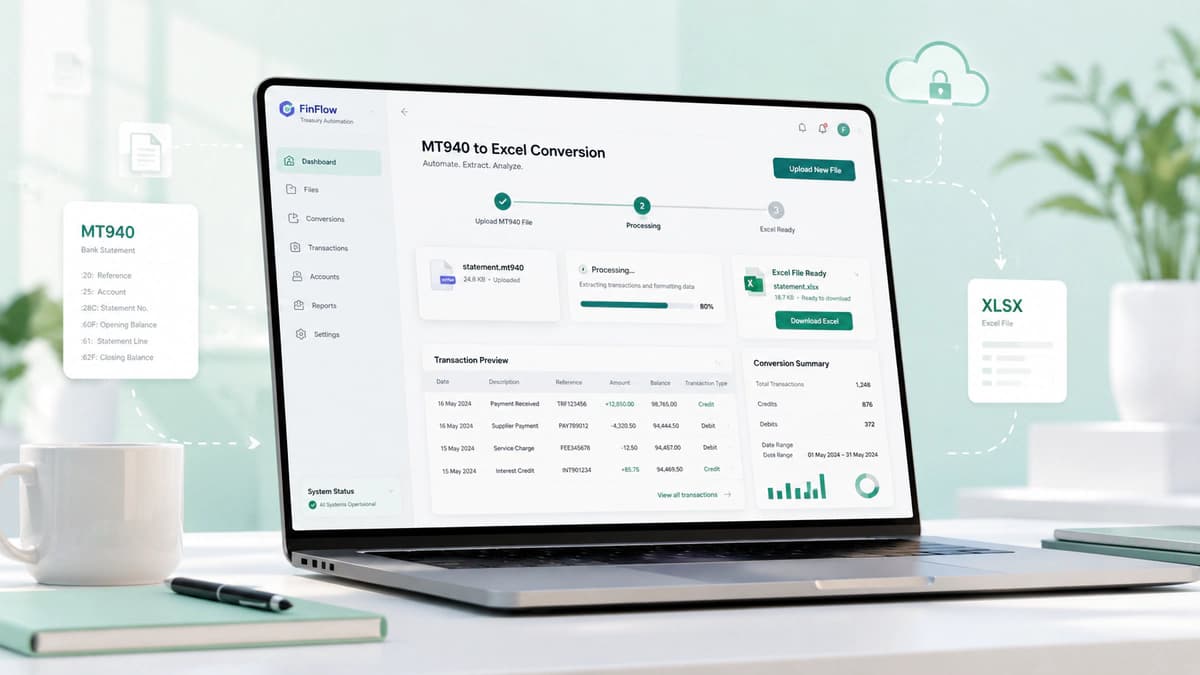
Core MT940 Fields Explained
Each MT940 file is built using predefined fields (tags). These fields are the backbone of the format.
:20: Transaction Reference Number
This is a unique identifier for the statement and acts like a fingerprint for the file and its core purpose is to track transactions and avoid any duplication.
:25: Account Identification (IBAN / BBAN)
This field identifies the account and may include IBAN or BBAN. Sometimes this field is prefixed with BIC (Bank Identifier Code).
:28C: Statement Number
This field's purpose is to define the statement sequence. It helps to track multiple statements as the format of this field is statement number + sequence number.
:60F / :60M: Opening Balance
This field is for the opening balance at the start of the statement, and the format of this field mentions that C is for Credit, D is for Debit. It further includes date, currency (ISO 4217), and the amount of the opening balance. e.g C230302EUR40435,15
:61: Transaction Line (Core Data)
This is the core field that contains data for the transaction, like each :61: line includes Value date, entry date, debit/credit indicator, transaction amount, transaction type code, and reference
:86: Additional Information (Remittance & Metadata)
If :61: is the "what" then :86: is the "why". It provides payment descriptions, invoice references, beneficiary details, and remittance information. In the real world, this field is heavily customized by banks according to their needs.
:62F / :62M: Closing Balance
This field shows the closing balance after all transactions. Its structure is the same as that of the opening balance I discussed above.
:64: Available Balance
This critical field shows how much money is actually available. This information is critical for liquidity and cash flow analysis. This balance may differ from the closing balance due to pending transactions.
Understanding MT940 Format Rules
The MT940 format follows some strict rules which are mandatory for consistency across global banks.
Format Syntax (6n, 15d, 16x)
These notations define how data is structured:
| Format | Meaning |
|---|---|
| 6n | Exactly 6 digits (e.g., date YYMMDD) |
| 15d | Decimal number with comma |
| 16x | Up to 16 alphanumeric characters |
Currency Codes (ISO 4217)
Currencies in MT940 follow ISO 4217 standards.For examples EUR (Euro), USD (US Dollar) or DKK (Danish Krone).
Debit/Credit Indicators
Each transaction includes a marker like C for credit (money in), D for Debit (money out) and RC / RD for reversal entries.
Transaction Codes (NMSC, NTRF, FINT, S103, etc.)
Transaction codes define the nature of each entry.
Common categories are:
- Nxxx → Non-SWIFT transactions (e.g., NTRF, NMSC)
- Fxxx → Bank-generated entries (e.g., FINT, FCHG)
- Sxxx → SWIFT-related transactions (e.g., S103, S202)
These codes allow systems to categorize transactions, automate reconciliation and identify payment types.
How to Read an MT940 File (Step-by-Step Example)
MT940 file has compact and coded structure and reading it line by line enables to understand fnancial record.
Lets see a sample explanation of such a file and try to grasp the underlying record in this file.
Real MT940 Sample Explanation
Below is a simplified MT940 example:
:20:TRX123456
:25:PK00BANK000123456789
:28C:00001/001
:60F:C230401USD10000,00
:61:2304010401D500,00NTRFREF123
:86:/REMI/Invoice Payment 123
:61:2304010401C2000,00NMSCREF456
:86:/REMI/Client Payment
:62F:C230401USD11500,00
Now the line-by-line explanation is as follows.
Line-by-Line Breakdown of Fields
Let's decode this step by step:
| Field | Meaning |
|---|---|
| :20: | Unique transaction reference (TRX123456) |
| :25: | Account identifier (IBAN/BBAN) |
| :28C: | Statement number and sequence |
| :60F: | Opening balance → $10,000 |
| :61: | Transaction line (debit or credit entry) |
| :86: | Additional details about the transaction |
| :62F: | Closing balance → $11,500 |
Let's interpret the transactions in real-world terms:
First Transaction
:61:2304010401D500,00NTRFREF123
:86:/REMI/Invoice Payment 123
- D500,00 → $500 debit (money going out)
- NTRF → Transfer
- :86: → Payment for an invoice
Now this transaction means that company paid $500 for an invoice.
Second Transaction
:61:2304010401C2000,00NMSCREF456
:86:/REMI/Client Payment
- C2000,00 → $2,000 credit (money received)
- NMSC → Miscellaneous transaction
- :86: → Client payment
Now second transaction means company received $2,000 from a client.
Understanding Field :61: + :86: Relationship
This is one of the most important concepts in MT940.
- :61: = Structured transaction data
- :86: = Human-readable explanation
They work together like this:
| Field | Role |
|---|---|
| :61: | What happened (amount, type, date) |
| :86: | Why it happened (description, invoice, party details) |
In real financial systems:
- ERP systems use :61: for calculations
- Accounting tools use :86: for context
Here is one challenge that :86: is not strictly standardized banks may structure it differently and some banks have did this too. They have have introduced their own custom seperator inside it.
Common Challenges with MT940 Files
- Key challenges: encoding issues, bank variations, and parsing complexity
- Field :86: is highly inconsistent and difficult to standardize
- Automation requires handling format rules + variations carefully
While processing these files companies face some challenges in processing these files. Common challenges faced by such companies are as follows like
Encoding Issues (UTF-8 vs ISO Formats)
MT940 files may use different character encodings depending on the bank or region. But it may happen that special characters not displaying correctly, currency symbols (€, £, ¥) becoming unreadable and might be broken text in :86: fields.
Why this happens, reason may that a file encoded in ISO-8859-1 may not render properly in a UTF-8 system, leading to data corruption.
Bank-Specific Variations
Although MT940 is standardized but some bank have implemented their own variations. These variations can break automated parsers and require custom handling.
Complex Field :86: Structures
Field :86: is one of the most problematic areas. It can include multi-line text, structured tags (/REMI/, /ORDP/, etc.), enriched transaction data, bank-specific formats. As there is not a strict standard so interpreting this field requires custom parsing rules and mapping logic.
Parsing Difficulties in Automation
Automating MT940 processing is challenging due to variations in format, complex syntax and multi-line fields. This challenges become more significant when converting MT940 to Excel or integrating with APIs.
Convert MT940 to Excel (Step-by-Step Guide)
- MT940 to Excel conversion improves analysis, reporting, and usability
- Methods: manual parsing, scripts/tools, ERP integration
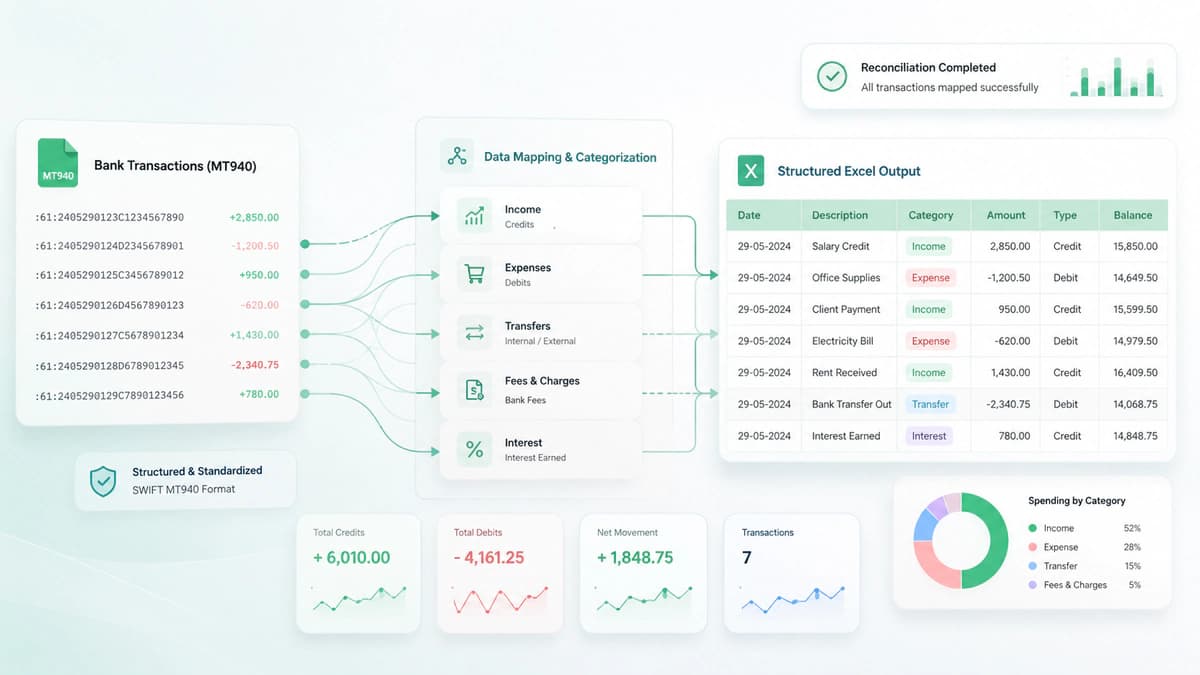
- Key mapping: :61 → transaction rows, :86 → description
- Excel enables filtering, reporting, and reconciliation
- Best practice: automate conversion for accuracy and scale
Converting MT940 to Excel is one of the most common need in finance teams as MT940 is designed for systems but Excel is prepared for human analysis and reporting.
Why Convert MT940 to Excel?
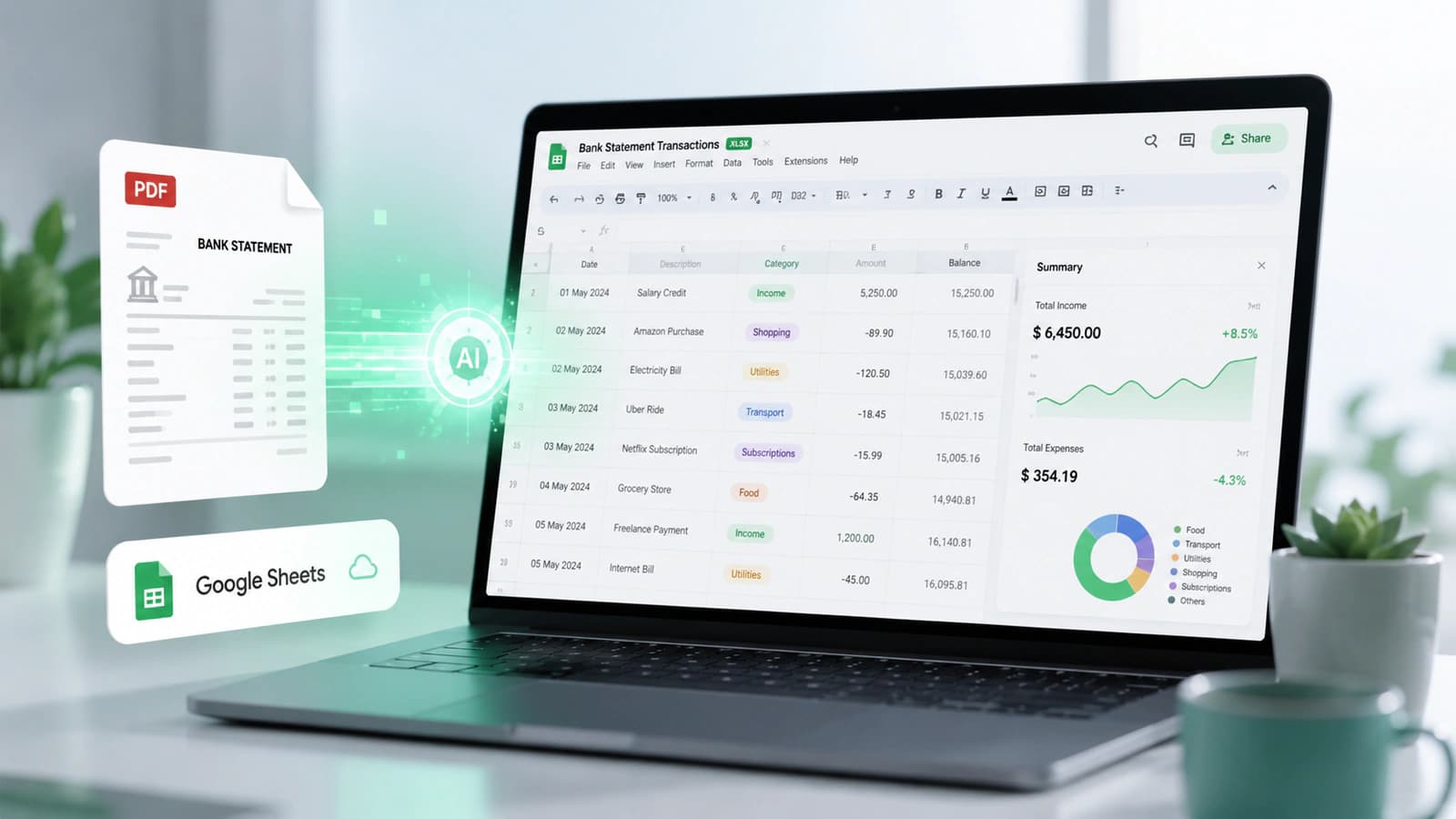
Excel provides a more accessible way to work with financial data. The benefits are obvious that its easier to do transaction analysis. It has better visualization (filters, pivot tables) and compatibility with finance teams. Users can sort transactions, analyze balances and create reports.
Methods to Convert MT940 to Excel
There are various ways for this conversion.
1. Manual Parsing
This involves opening the MT940 file in a text editor, extracting fields like :61 and :86 and entering them into Excel manually, it is that simple, but it is best for small datasets and one-time analysis.
2. Using Scripts or Tools
Developers may use python scripts, custom parsers and FinTech tools to read MT940 structure, extract its fields and convert into CSV/Excel format. This is compute processing intensive process and suitable for automation and large datasets.
3. Using ERP / Accounting Systems
As MT940 is standard structure so many ERP and accounting systems support direct import. using this technique, users can automatically parse MT940 files, map transactions to ledger entries and export data into Excel-compatible formats.
MT940 to Excel Conversion Example
Here's how MT940 data is typically mapped into Excel:
| MT940 Field | Excel Column |
|---|---|
| :25 | Account Number |
| :60F | Opening Balance |
| :61 | Transaction Date, Amount, Type |
| :86 | Description |
| :62F | Closing Balance |
Each :61: entry becomes a row in Excel:
| Date | Type | Amount | Description |
|---|---|---|---|
| 01-Apr | Debit | -500 | Invoice Payment |
| 01-Apr | Credit | +2000 | Client Payment |
Balances:
- Opening balance → top row
- Closing balance → bottom summary
This standardised structure makes it easy to perform reconciliation, analyze trends and generate reports.
MT940 Transaction Codes Explained
- MT940 transaction codes define the type of transaction within :61 field
- Categories: SWIFT (Sxxx), Non-SWIFT (Nxxx), Bank-generated (Fxxx)
- Common codes: NTRF, NMSC, FINT, FCHG, S103
- Critical for reconciliation, categorization, and automation
- Enable accurate mapping to accounting systems and financial workflows
When understanding MT940 files, its essential to understand the various transaction codes that are being used here. As I have explained the file structure above now lets take a look at the transaction codes too.
Categories of MT940 Transaction Codes
MT940 transaction codes are broadly divided into three main categories based on how the transaction is generated and transmitted.
1. SWIFT Transaction Codes (Sxxx)
These codes are used when transactions are processed through the SWIFT network.
Examples:
- S103 → Customer credit transfer (SWIFT MT103)
- S202 → Bank-to-bank transfer
These are typically used in cross-border payments and international banking transactions.
2. Non-SWIFT Transaction Codes (Nxxx)
These represent transactions that are not transmitted via SWIFT but still follow standardized formats.
Examples:
- NTRF → Transfer
- NMSC → Miscellaneous transaction
- NCHG → Charges
These are commonly seen in domestic payments and internal bank transfers.
3. Bank-Generated Codes (Fxxx)
These codes are used for transactions initiated by the bank itself.
Examples:
- FINT → Interest
- FCHG → Bank charges
- FRTI → Returned items
These help identify fees, system-generated adjustments, and interest calculations.
Common MT940 Transaction Code Examples
Below is a quick reference of commonly used codes:
| Code | Meaning | Category |
|---|---|---|
| NTRF | Transfer | Non-SWIFT |
| NMSC | Miscellaneous | Non-SWIFT |
| NCHG | Charges | Non-SWIFT |
| FINT | Interest | Bank-generated |
| FCHG | Bank charges | Bank-generated |
| S103 | SWIFT customer transfer | SWIFT |
| S202 | SWIFT bank transfer | SWIFT |
These codes are embedded within the :61: field and are essential for interpreting transaction types.
How Transaction Codes Impact Reconciliation
The interpretation of these codes is the key to automated reconciliation and financial analysis. This interpretation enables systems to categorize transactions automatically, map entries to accounting categories and identify patterns in financial activity.
Security Considerations for MT940 Files
- MT940 files contain sensitive financial data (IBAN, BIC, transactions)
- Risks include data breaches, fraud, and compliance issues
- Security measures: encryption, access control, secure transfer protocols
- SWIFT network is secure, but local storage and handling introduce risks
- Avoid unsafe tools like unverified pdf to mt940 converter online platforms
MT940 is very powerful but financial data is very sensitive that nakes security a critical issue.
Sensitive Financial Data Risks
MT940 file typically contains account numbers (IBAN / BBAN), bank identifiers (BIC), transaction history and payment references and remittance details. So a compromise of security here can cause financial fraud, data breaches and compliance violations.
Encryption and Access Control
MT940 must be protected using practices like data encryption at rest and in transit. Role based acees control must be exercised like who can view or process these files. Secure file transfer protocols like SFTP or SWIFT ensures secure file transfer during transit.
Frequently Asked Questions
What is MT940 format?
The MT940 format is a SWIFT-defined message standard used to deliver end-of-day bank account statements. It includes structured fields such as:
- Opening balance (:60F)
- Transactions (:61)
- Additional details (:86)
- Closing balance (:62F)
It is widely used in ERP systems, accounting software, and treasury management.
How to read MT940 file?
To read an MT940 file:
- Identify the account (:25)
- Check opening balance (:60F)
- Review transactions (:61)
- Understand descriptions (:86)
- Verify closing balance (:62F)
The key is understanding the relationship between structured data (:61) and descriptive data (:86).
How to convert MT940 to Excel?
You can convert MT940 to Excel using Manual parsing (for small datasets), scripts or tools (Python, FinTech platforms) or ERP/accounting systems. The process involves mapping:
- :61 → rows (transactions)
- :86 → description columns
- Balances → summary rows
What is PDF to MT940 converter?
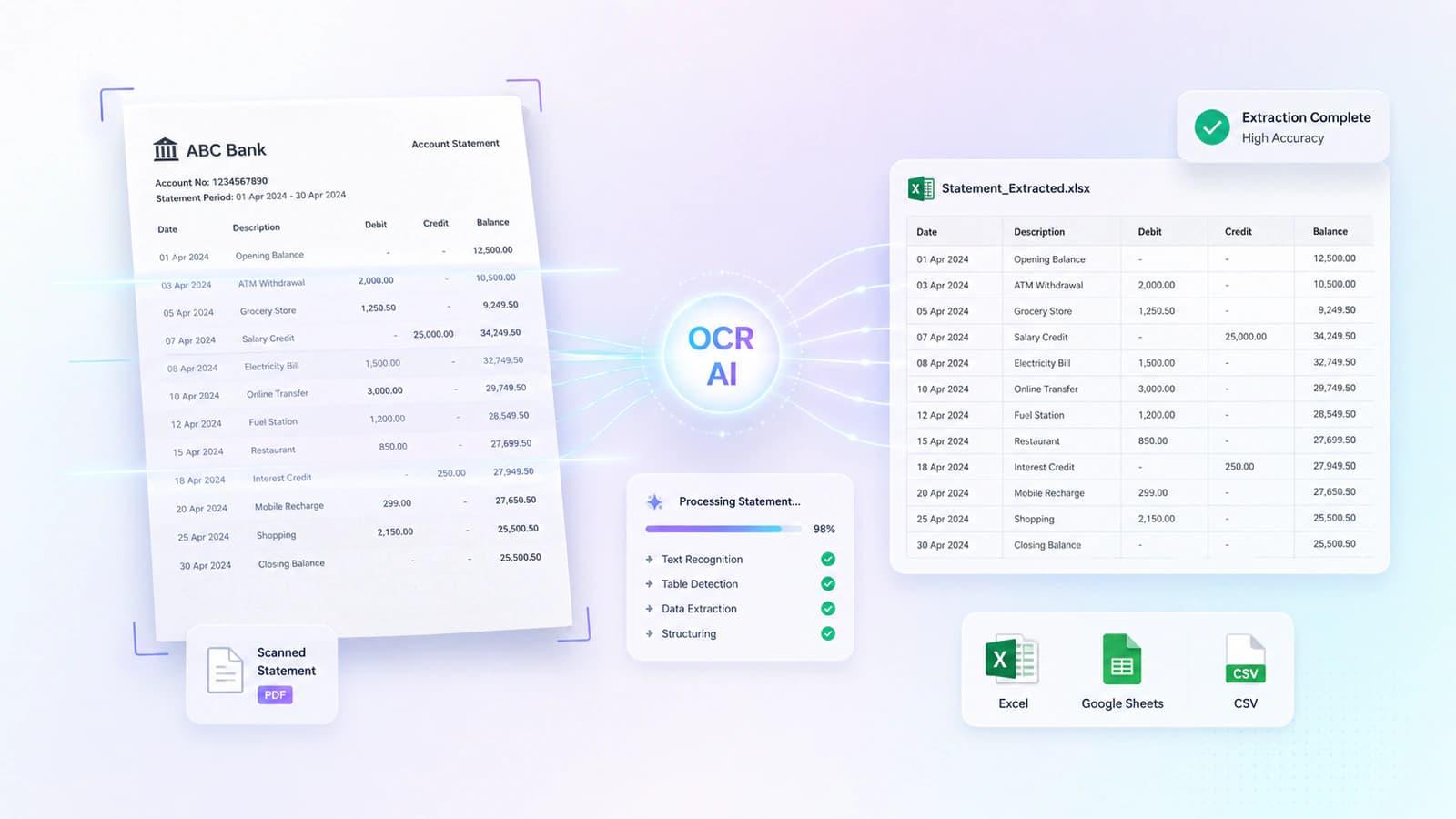
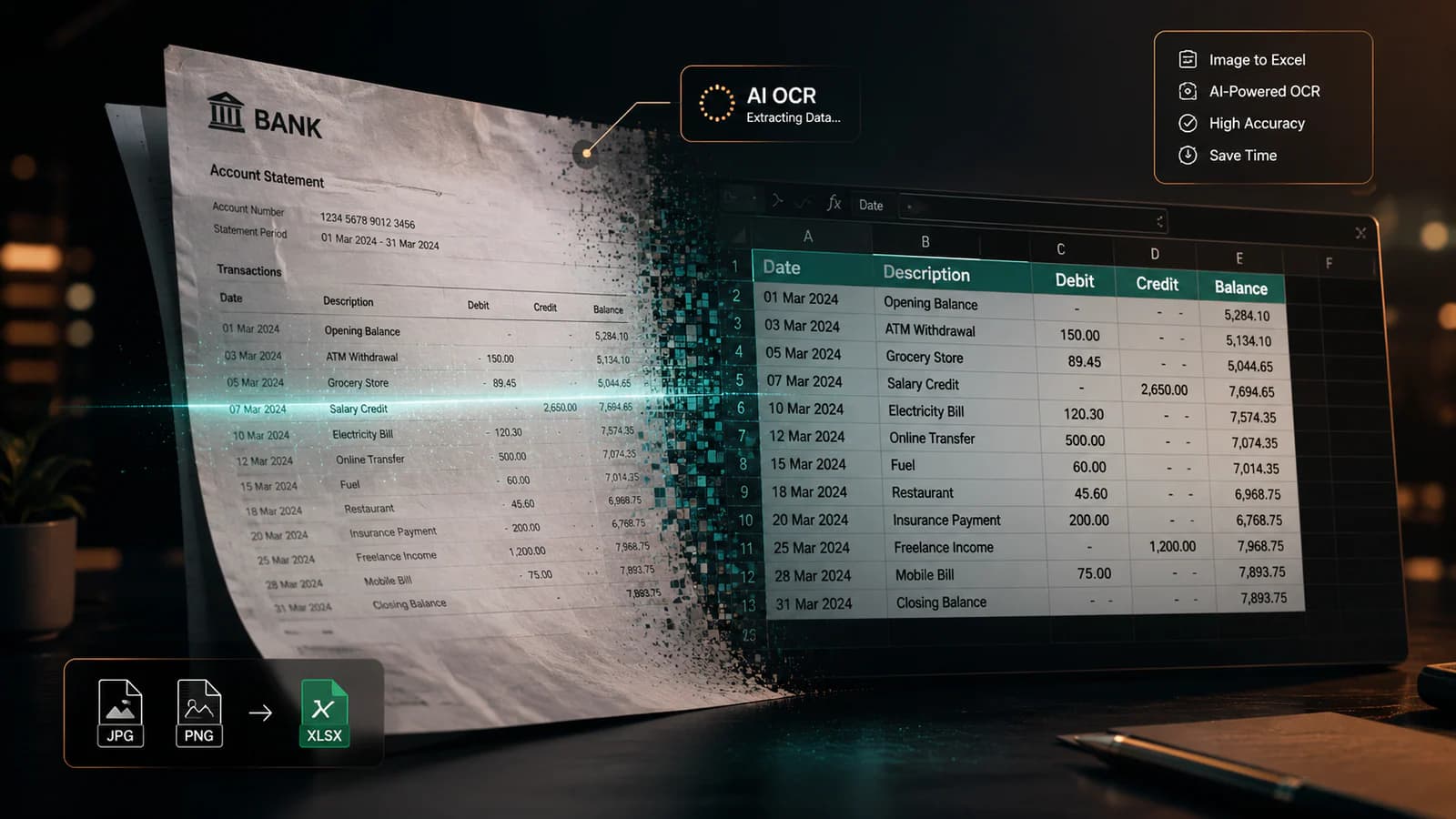
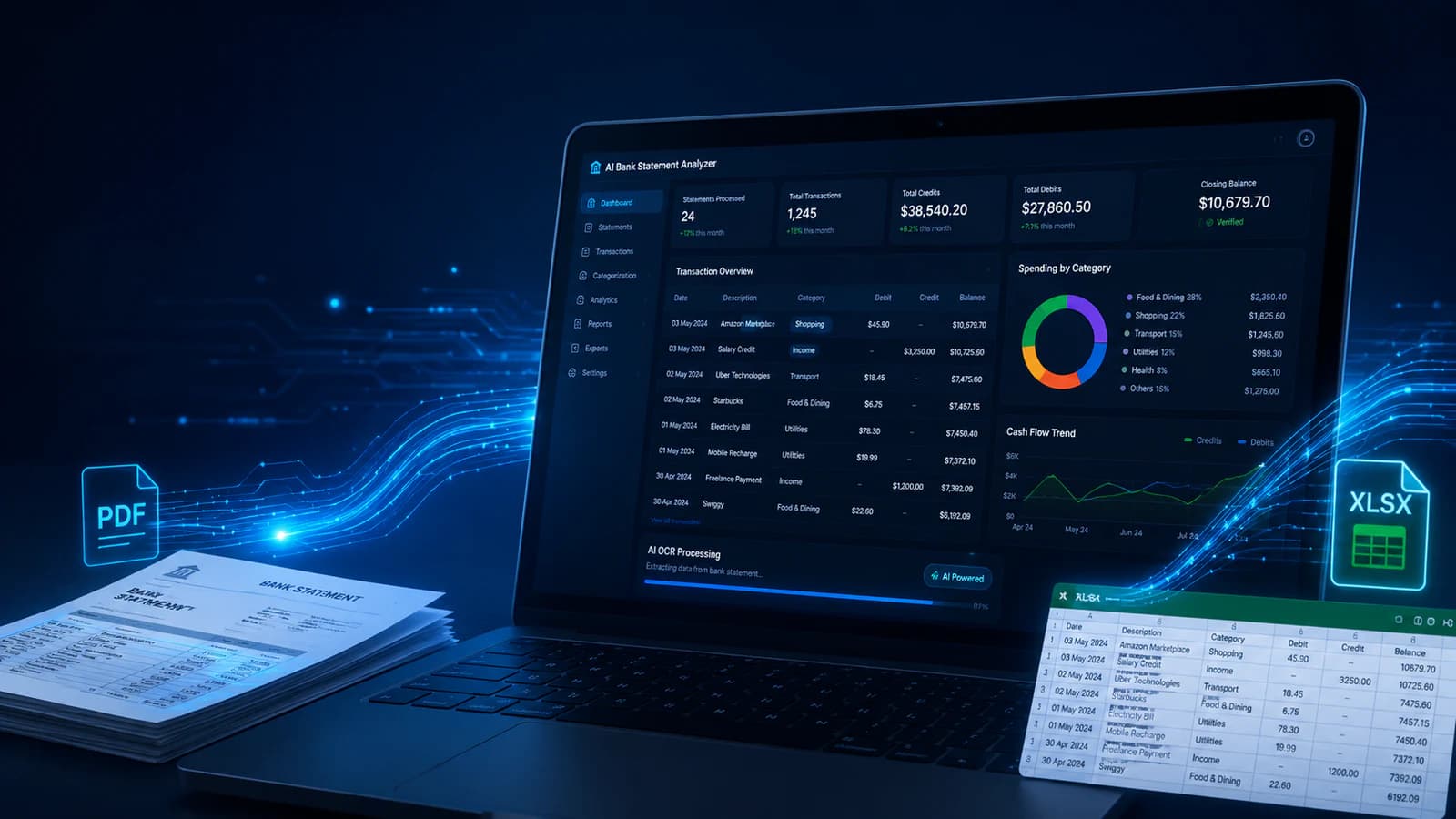
A PDF to MT940 converter is a tool that transforms bank statements (PDF format) into structured MT940 files. It extracts: transactions, balances & references and maps them into MT940 fields like :61, :86, and :62F.
Is MT940 still relevant?
Yes, MT940 is still highly relevant. With ISO 20022 adoption: many banks continue to support MT940, businesses rely on it for reconciliation & reporting and it remains a standard in legacy and hybrid systems.
Final Thoughts
MT940 is the widely adopted standard in global banking. It plays a vital role in how the financial data is structured and processed. This feature of MT940 facilitates bank reconciliation, ERP integration, cash flow management and automation.
Hope you enjoyed this guide!

Conversation0 Comments
Write a comment ↓Leave a Reply
Your email address will not be published. Required fields are marked *
Login Required
Please sign in to join the conversation.